TNCE Tuya US Interruptor WIFI o Zigbee necesita/No requiere cable neutro Controlador táctil inteligente de 1/2/3/4 grupos de voz con Alexa Google Home


TNCE Tuya US Interruptor WIFI o Zigbee necesita/No requiere cable neutro Controlador táctil inteligente de 1/2/3/4 grupos de voz con Alexa Google Home
ESPECIFICACIONES
Nombre de la marca: TNCE
Certificación: CE, RoHS
Elección: sí
Protocolo de conexión: WIFI 2.4Ghz o zigbee
Voltaje LVD de la UE: Alto voltaje: Más de 50Vac o 75Vdc
Químicos de alta preocupación: Ninguno
¿Cómo resolver el parpadeo de la bombilla?: Conecte el condensador a ambos extremos de la bombilla que parpadea y funcionará normalmente.
¿Es un dispositivo inteligente?: Sí
Material: Plástico
Número de modelo: interruptor inteligente
Origen: China continental
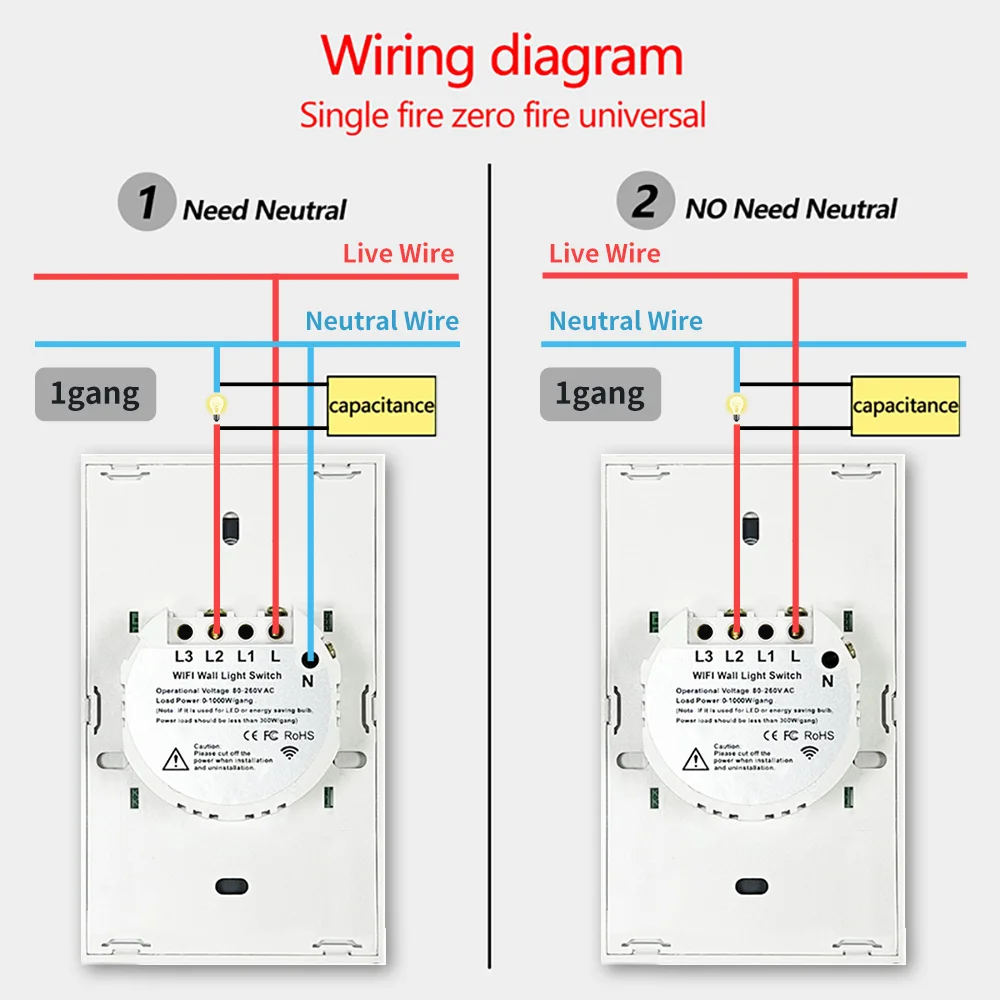
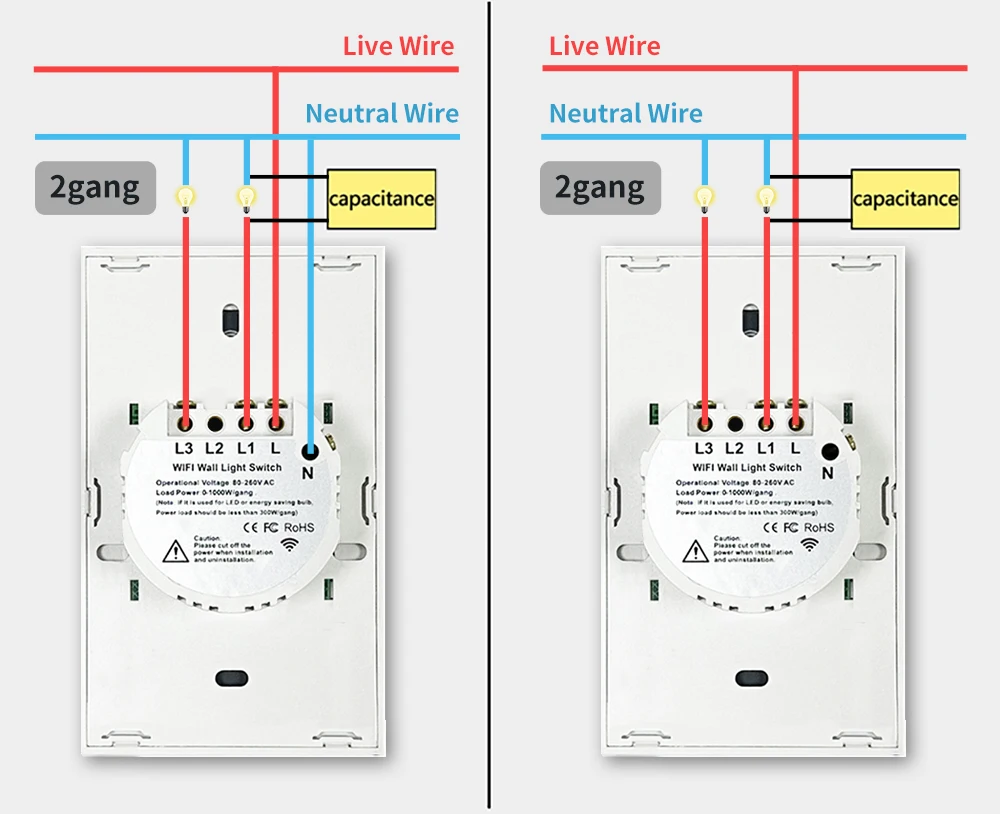
Precauciones sin cables neutros: Debe conectar el condensador a ambos extremos de la bombilla.
Control remoto: Sí, aplicación por teléfono o control por voz
Tipo de interruptor: Interruptor táctil de encendido/apagado
Control de temporizador: Sí, se puede configurar a través de la aplicación móvil.
Dos métodos de cableado: Con o sin cables neutros
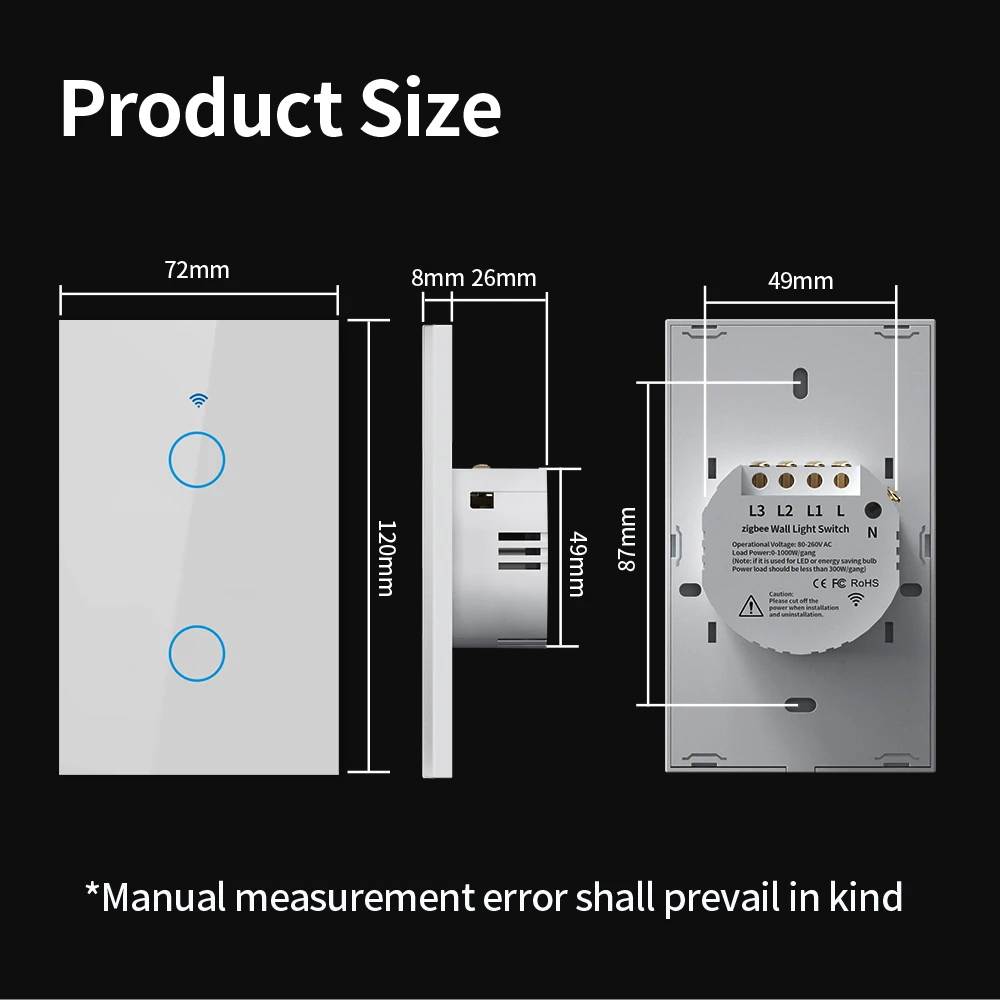
Especificaciones de EE. UU.: 120x72 mm
Control por voz: Sí, necesita asistente de voz. (Google Home o Alexa)
Consejos para la versión Zigbee: Si compra una versión zigbee del interruptor, necesita un hub zigbee de Tuya para que funcione correctamente.
Primero, debe conectar la bombilla incluida en el paquete a ambos extremos.
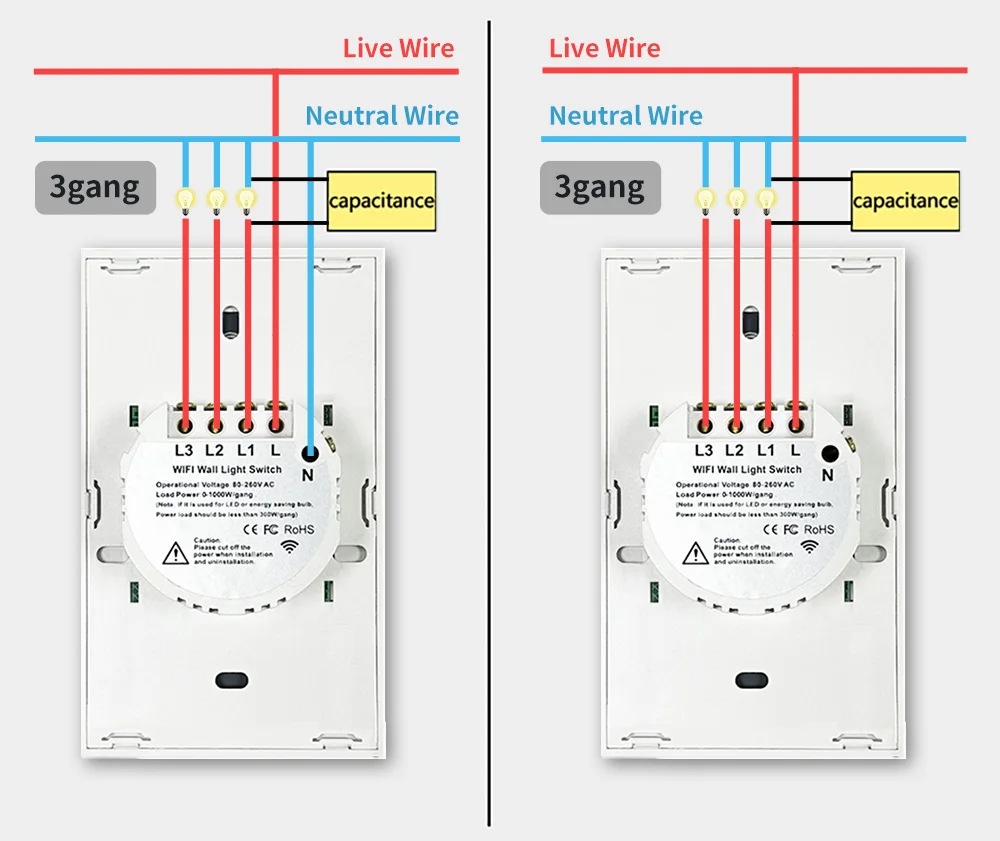
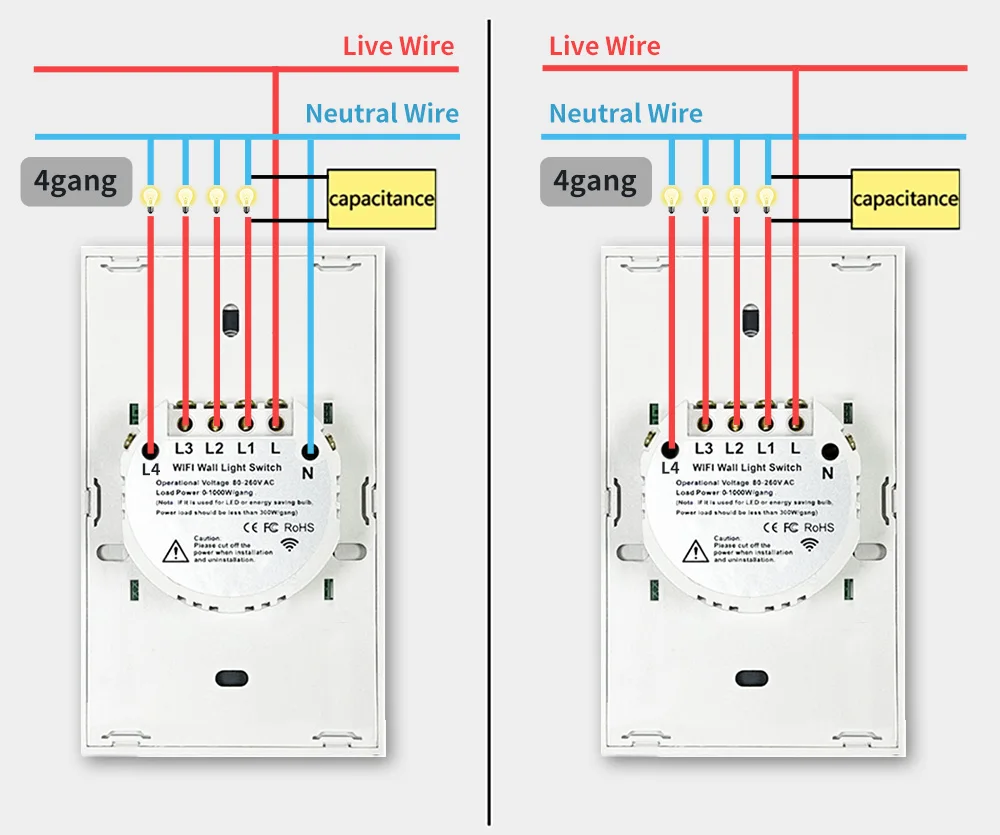
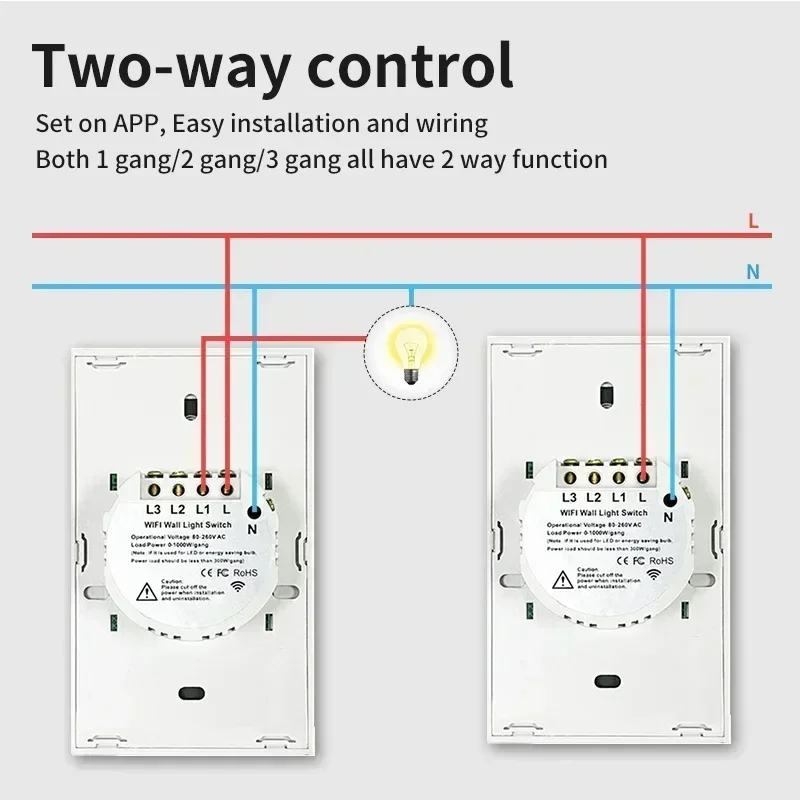
Control bidireccional, función de control múltiple
Configurado en la aplicación, fácil instalación y cableado. El interruptor 1 conecta el cableado normal y la bombilla. El interruptor 2 solo necesita cableado normal, no es necesario conectar la bombilla.
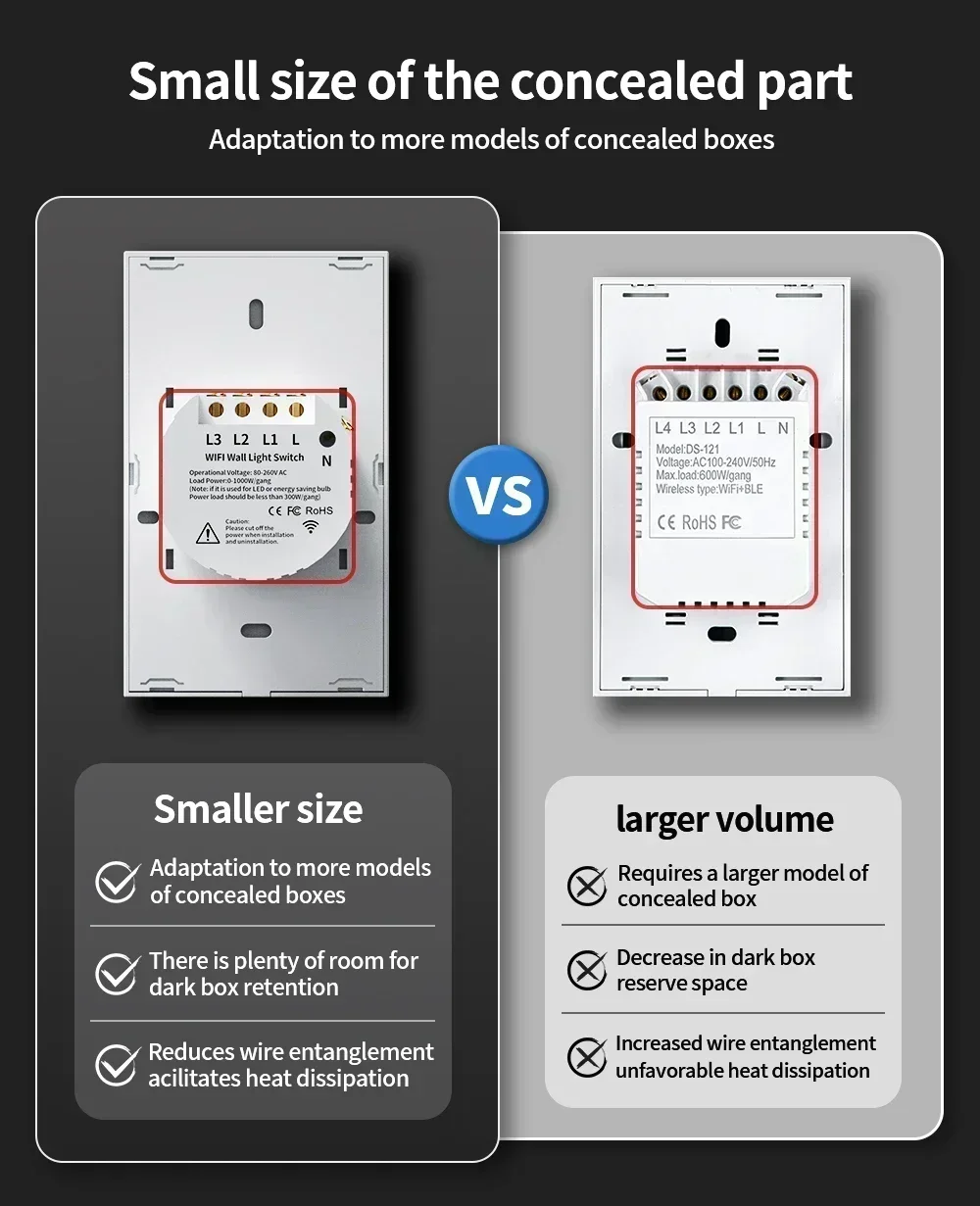
Piezas ocultas más pequeñas:
Requieren menos espacio, lo que hace la instalación más cómoda.
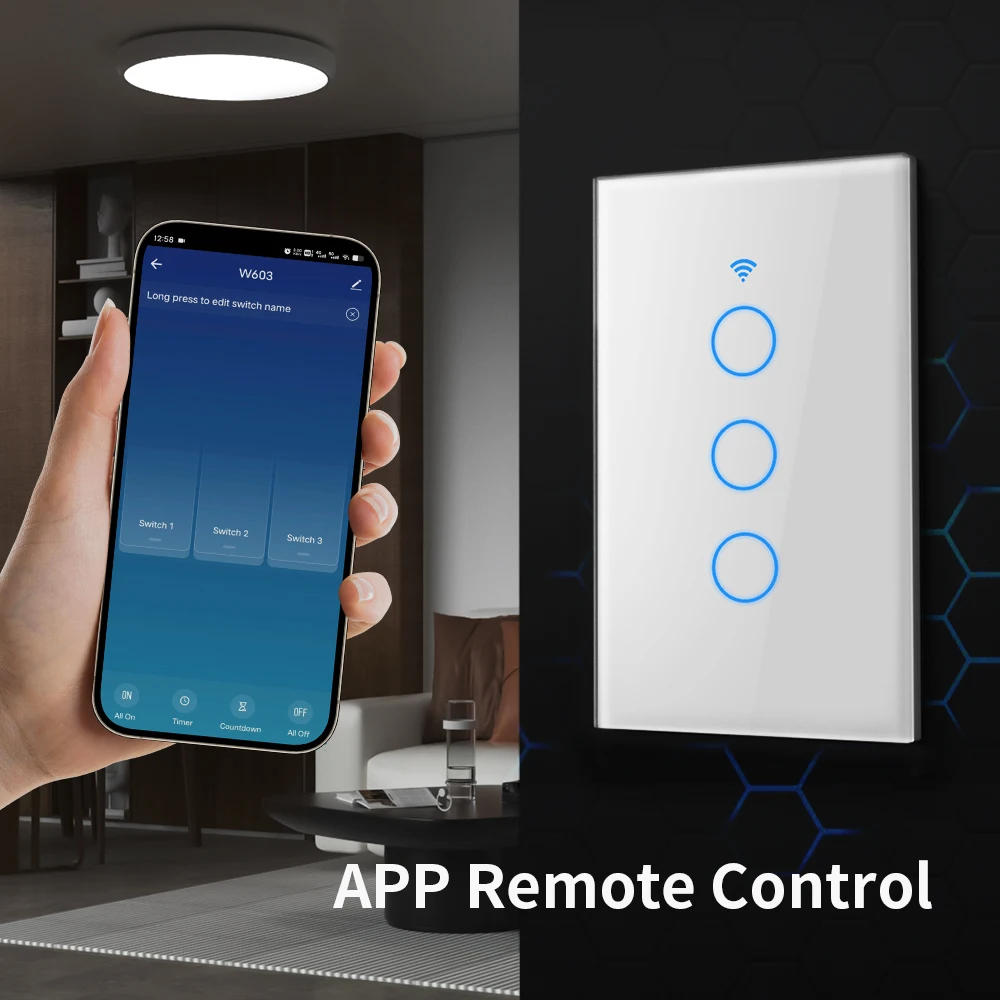
Control remoto por aplicación
El usuario puede usar un teléfono inteligente para controlar de forma remota los dispositivos electrónicos del hogar en cualquier momento y en cualquier lugar, siempre que el teléfono tenga una red WIFI 2G / 3G / 4G / 5G compatible con el sistema operativo iOS y Android con SmartLife y Tuya.
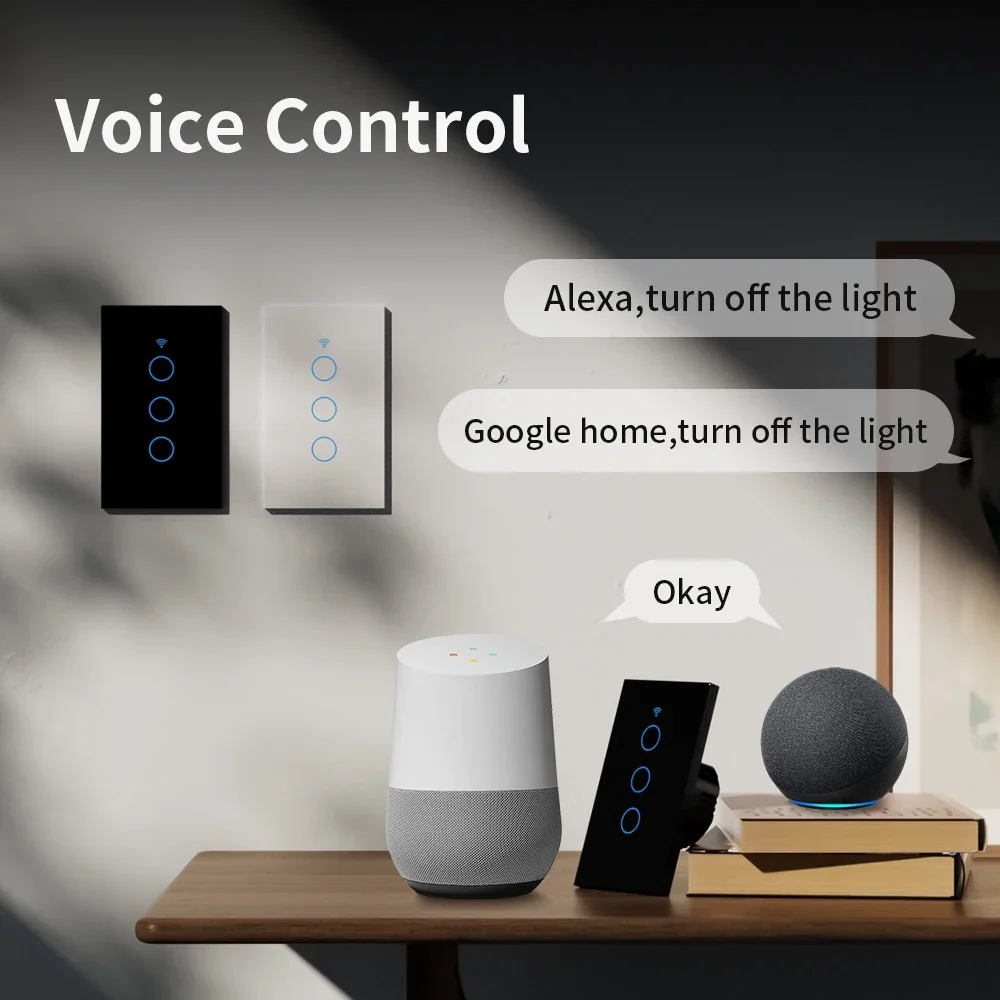
Control por voz
Compatible con Alexa, Google Home Assistant.
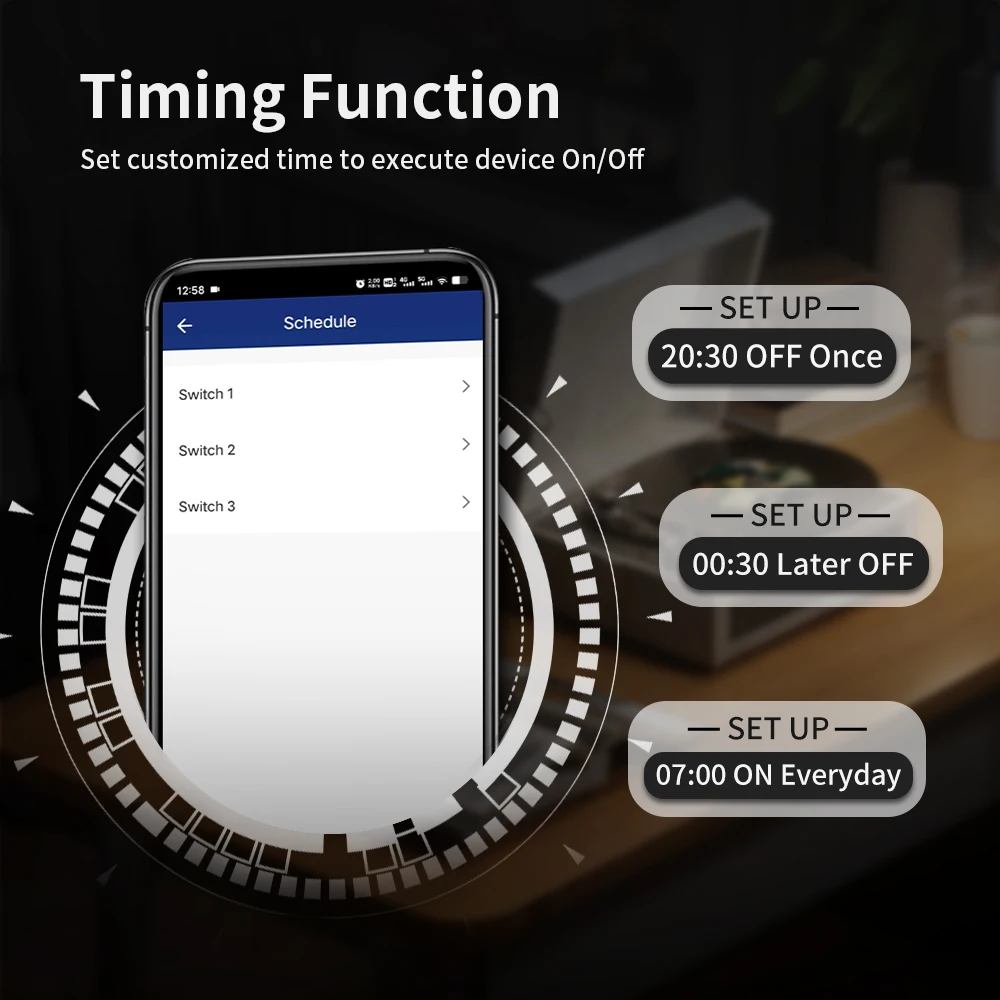
Programación
El interruptor inteligente se enciende y apaga automáticamente a una hora determinada mediante la función de temporizador. Elija la hora a la que desea despertarse,
abra la luz automáticamente, para que pueda comenzar el día fácilmente; elija la hora a la que desea apagar la luz.
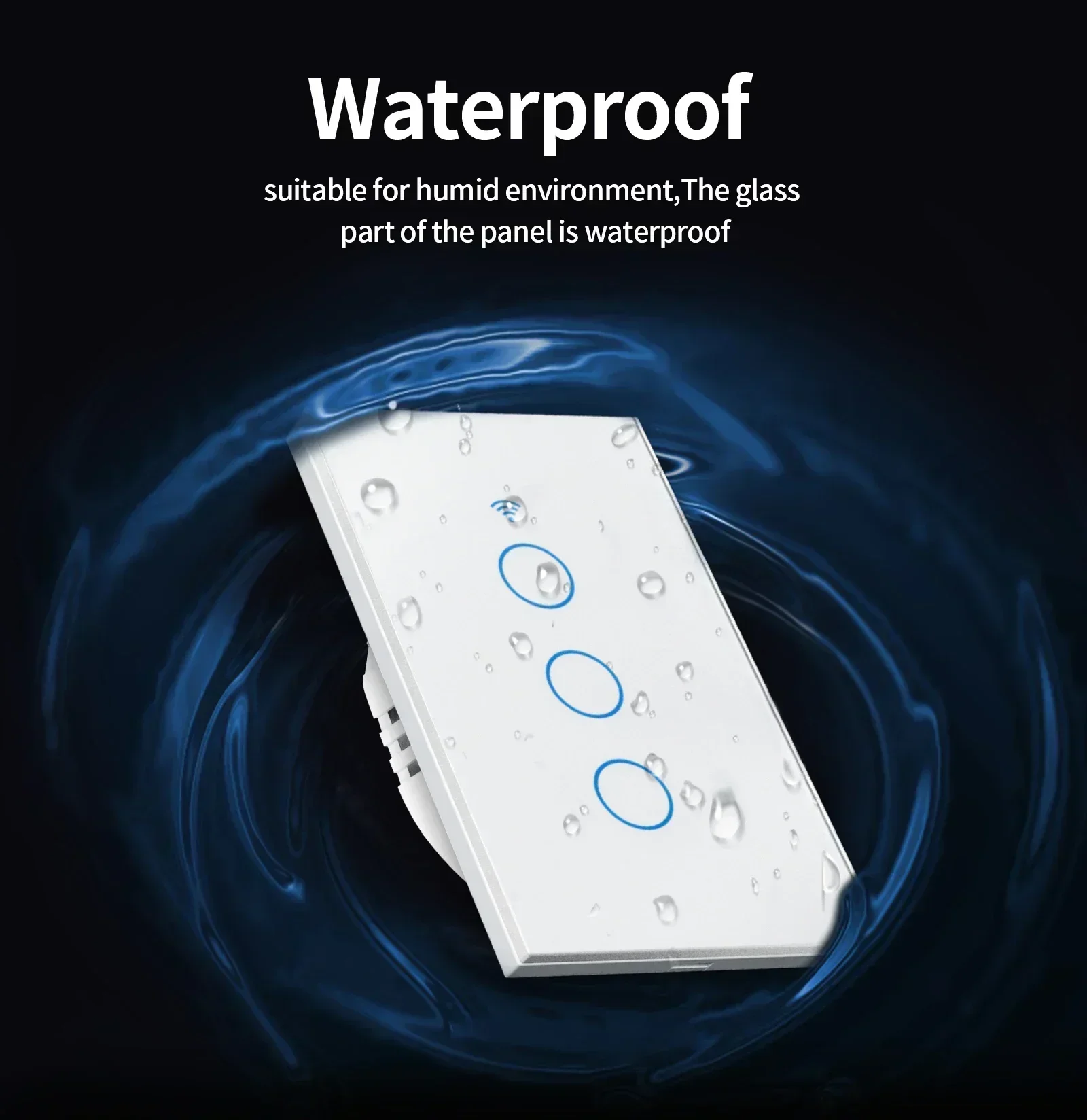
Impermeable
adecuado para ambientes húmedos, la parte de vidrio del panel es impermeable
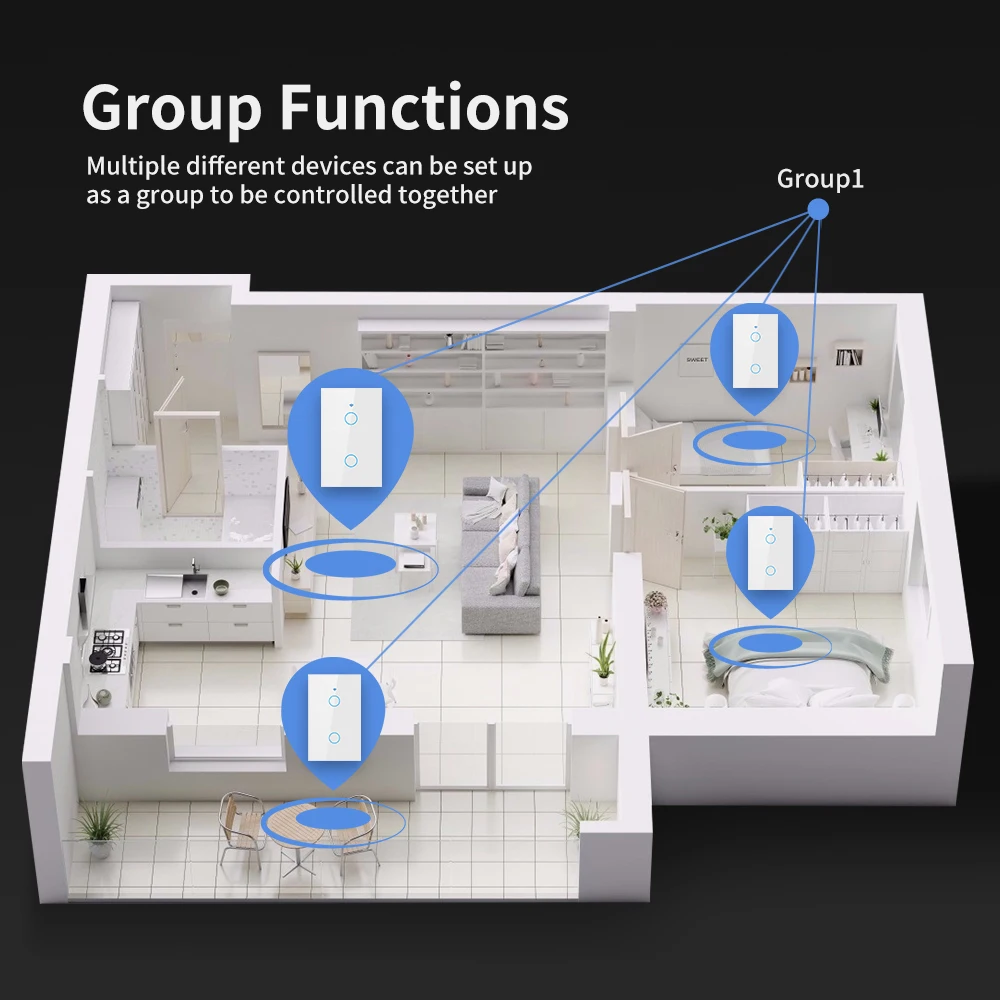
Funciones de grupo
Se pueden configurar múltiples dispositivos diferentes como un grupo para controlarlos juntos.
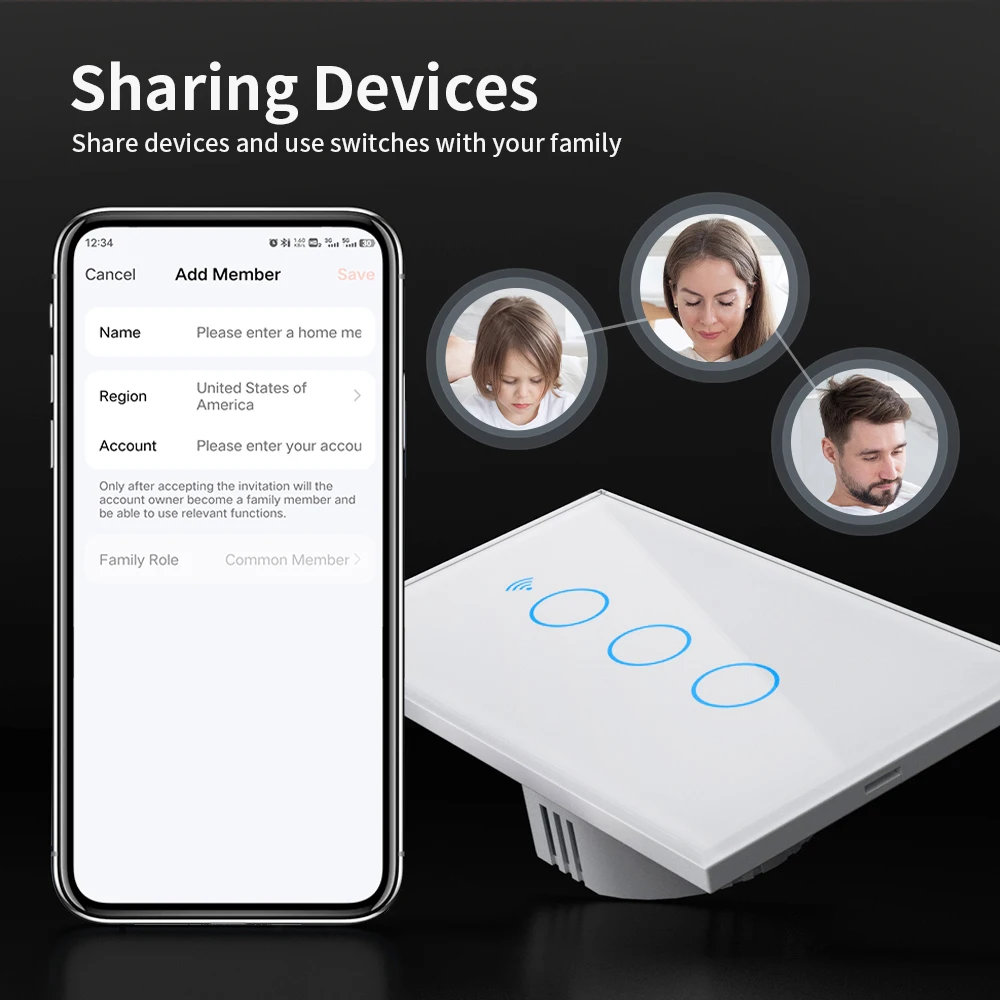
Dispositivos compartidos
Comparta dispositivos y utilice interruptores con su familia