

TNCE Tuya US Commutateur mural wifi zigbee, 1/2/3/4 gangs, sans neutre/fil, pour le contrôle des lumières LED, commande vocale intelligente avec Alexa Google Home


TNCE Tuya US Commutateur mural wifi zigbee, 1/2/3/4 gangs, sans neutre/fil, pour le contrôle des lumières LED, commande vocale intelligente avec Alexa Google Home
SPÉCIFICATIONS
À propos des options WIFI et zigbee: Version WIFI par défaut, faites glisser vers le haut pour afficher les options WIFI et zigbee. S'il n'y a pas d'option zigbee, la version par défaut est la version WIFI.
Nom de la marque: TNCE
Certification: ce,ROHS
Choix: oui
Protocole de connexion: WIFI 2.4Ghz ou zigbee
Tension LVD UE: Haute tension : Au-dessus de 50Vac ou 75Vdc
Fonctionnalités: Interrupteur d'éclairage WIFI/Zigbee + RF433
Produit chimique très préoccupant: Aucun
Est un appareil intelligent: Oui
Type d'article: INTERRUPTEURS
Matériau: Plastique
Contrôle multicanal: 1/2/3/4 gang
Origine: Chine continentale
Mémoire de mise hors tension: Oui, les informations préréglées peuvent être personnalisées
Télécommande: Oui, APPLICATION
Type d'interrupteur: Interrupteur tactile marche/arrêt
Contrôle de la minuterie: Oui, cela peut être configuré via l'application mobile.
Spécifications US: 120x72 mm
Commande vocale: Oui, nécessite un assistant vocal. (google home ou alexa)
Si vous avez des questions sur le produit, veuillez cliquer sur l'image ci-dessous pour contacter le service client professionnel.👇👇👇👇

Note : si vous choisissez l'interrupteur de la version Zigbee, vous avez besoin d'une passerelle tuya zigbee pour utiliser normalement l'interrupteur Zigbee.
Remarque : Le produit est par défaut la version WIFI.
Si vous êtes sur le terminal web, vous pouvez directement voir les options de la version WIFI et de la version zigbee dans des circonstances normales. S'il n'y a pas d'option de version zigbee, il n'y a que la version WIFI par défaut.
Si vous êtes sur le téléphone mobile, faites glisser l'option de spécification vers le haut pour voir les options de la version WIFI et de la version zigbee. S'il n'y a pas d'option de version zigbee, il n'y a que la version WIFI par défaut.
Deux méthodes de câblage (avec fil neutre, sans fil neutre)
Tout d'abord, vous devez connecter l'ampoule incluse dans l'emballage aux deux extrémités.
S'il y a un fil neutre, vous devez connecter le fil sous tension (L), le fil neutre (N) et le fil de l'ampoule.
S'il n'y a pas de fil neutre, vous devez connecter le fil sous tension (L) et le fil de l'ampoule.
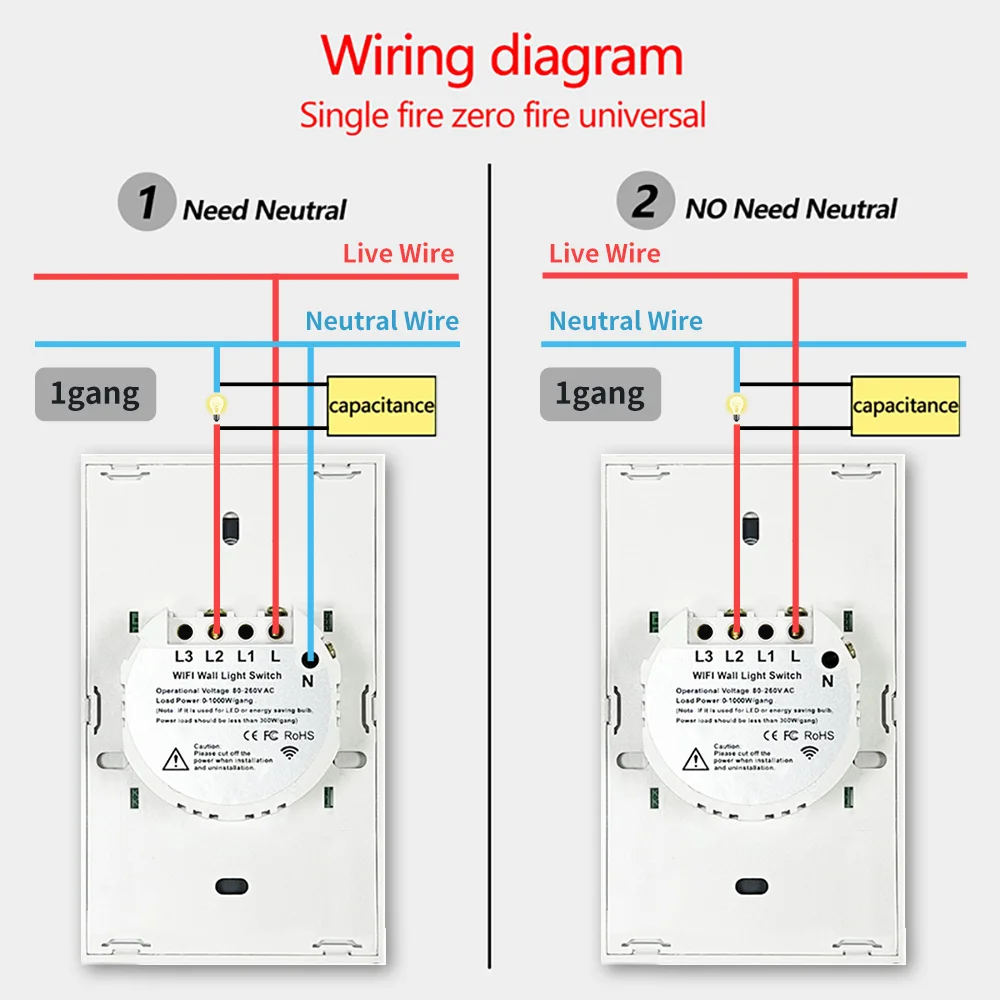
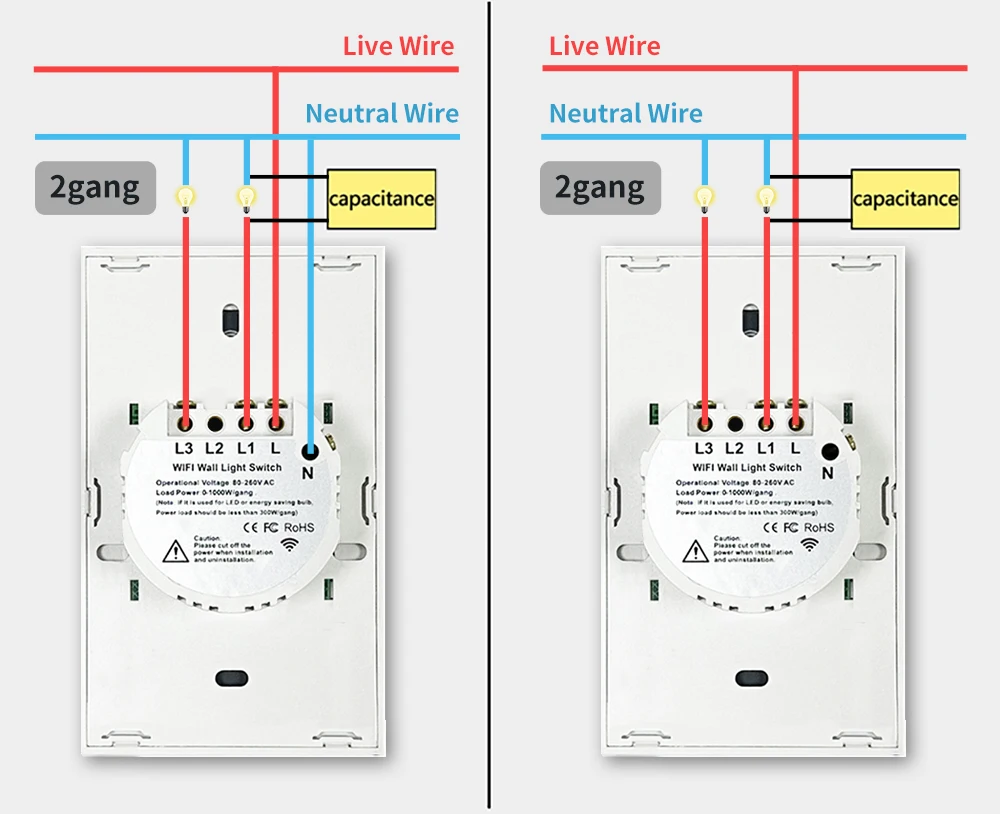
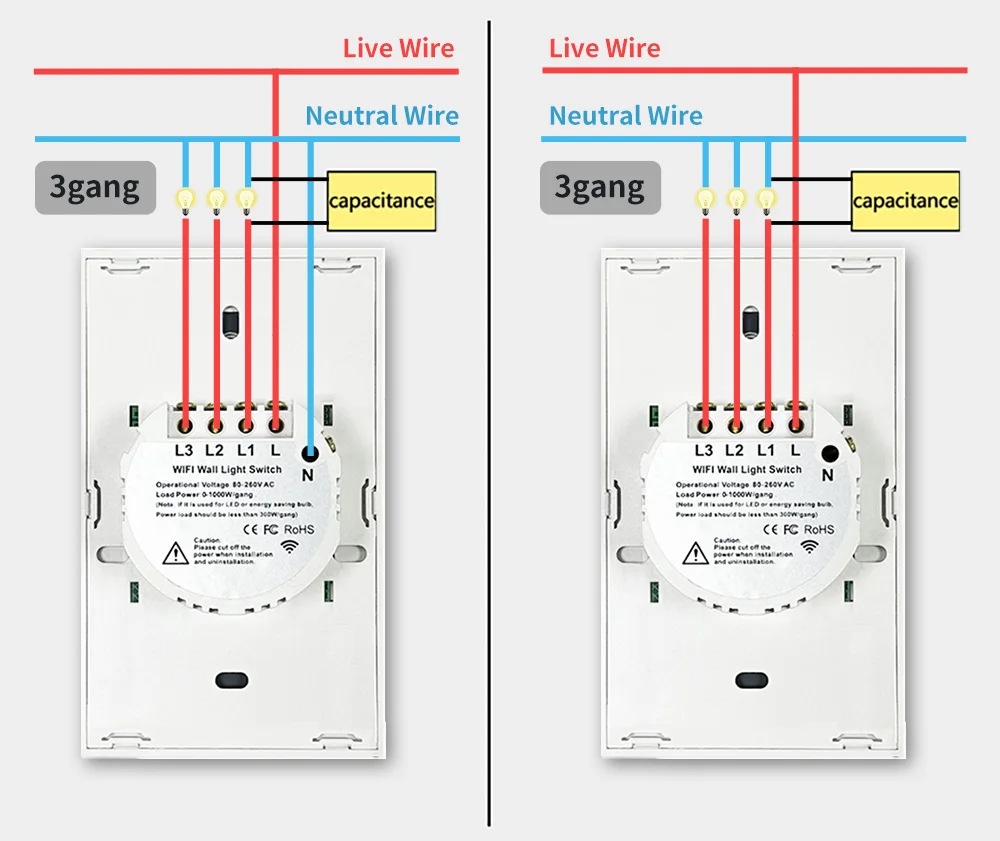
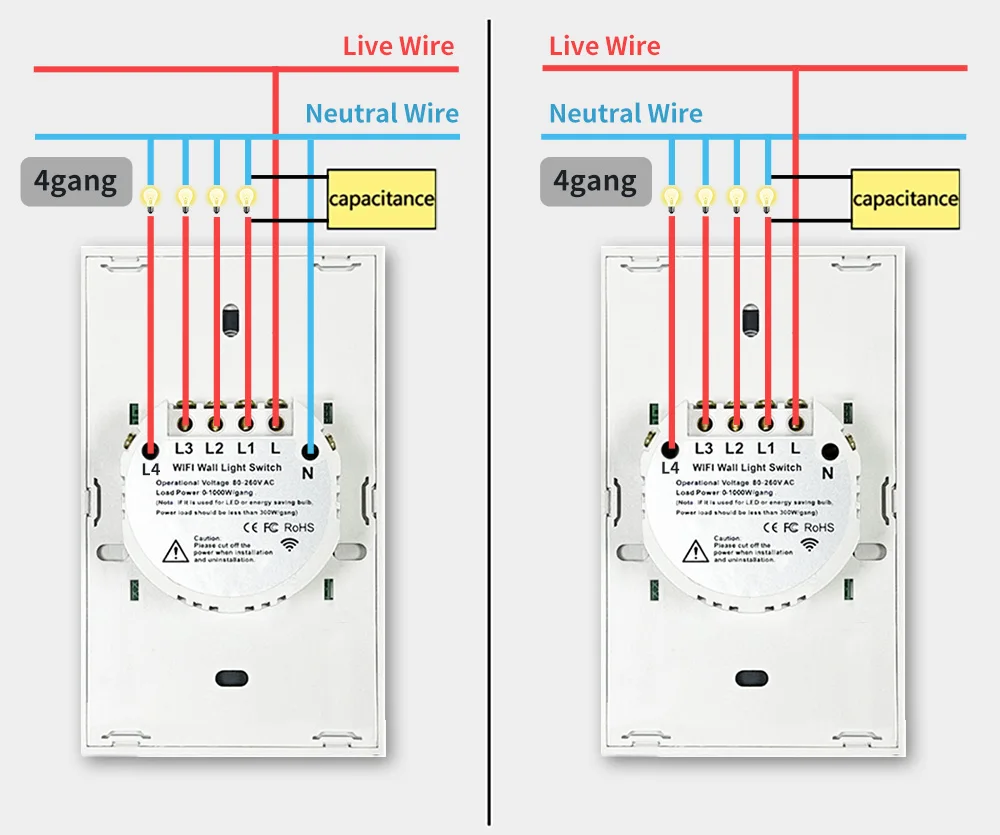
Contrôle bidirectionnel, fonction multicommande
Réglage sur l'application, installation et câblage faciles. L'interrupteur 1 se connecte au câblage normal et à l'ampoule. L'interrupteur 2 ne nécessite qu'un câblage normal, pas besoin de connecter l'ampoule.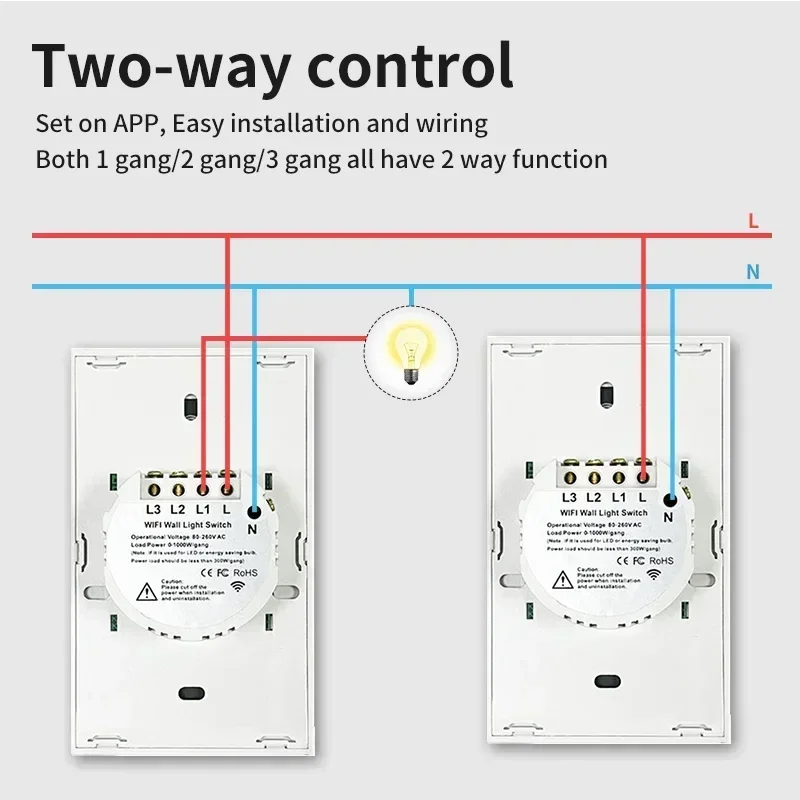
Pièces encastrées plus petites :
Nécessitent moins d'espace, ce qui rend l'installation plus pratique.
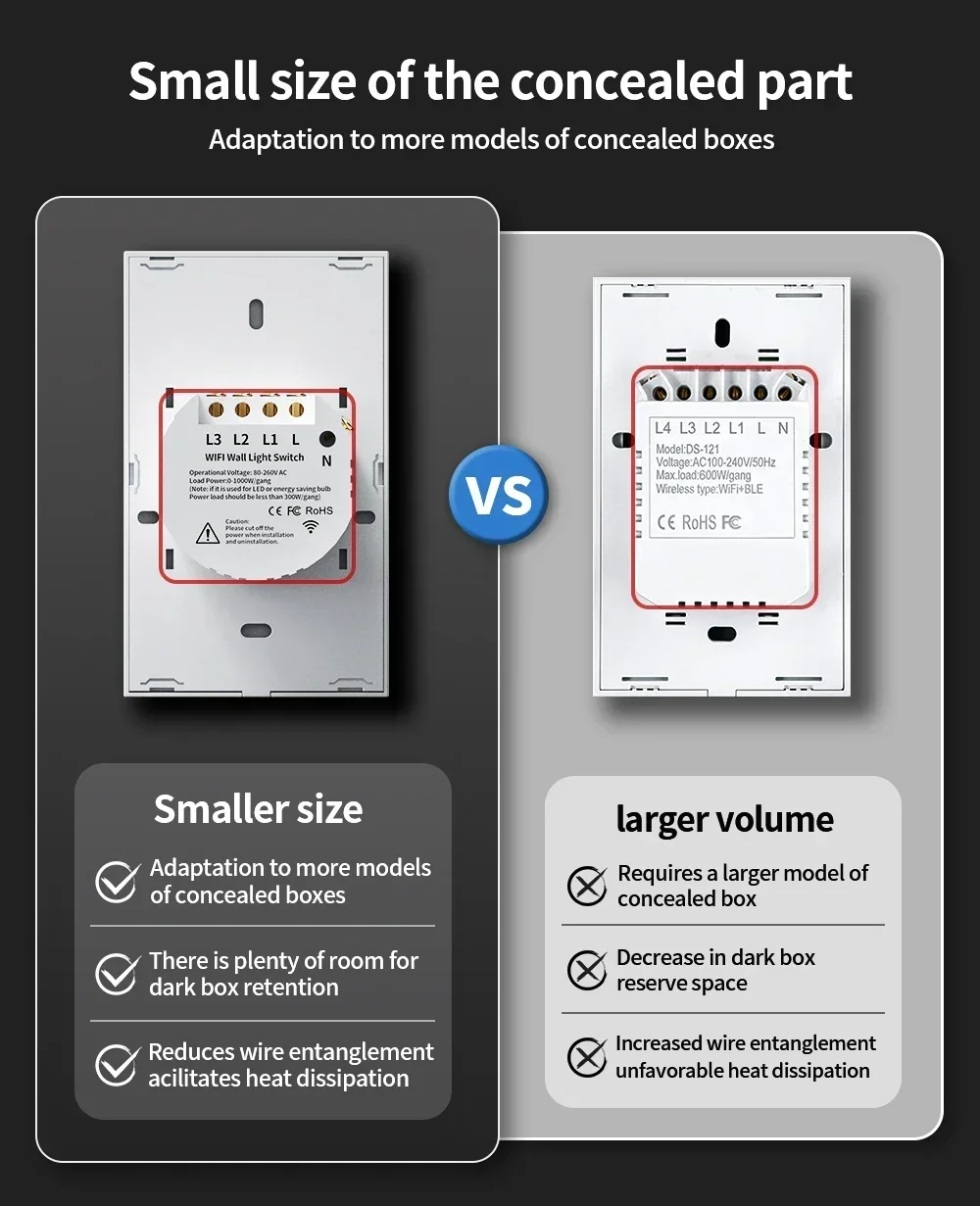
433MHz +WiFi ou zigbee Plus de choix
Vous pouvez contrôler l'interrupteur à l'aide d'un produit compatible 433 ou d'un réseau sans fil.

Contrôle à distance via APP
L'utilisateur peut utiliser un smartphone pour contrôler à distance les appareils électroniques domestiques à tout moment, n'importe où, tant que le téléphone dispose d'un réseau 2G / 3G / WIFI
compatible avec le système d'exploitation iOS et Android avec SmartLife et Tuya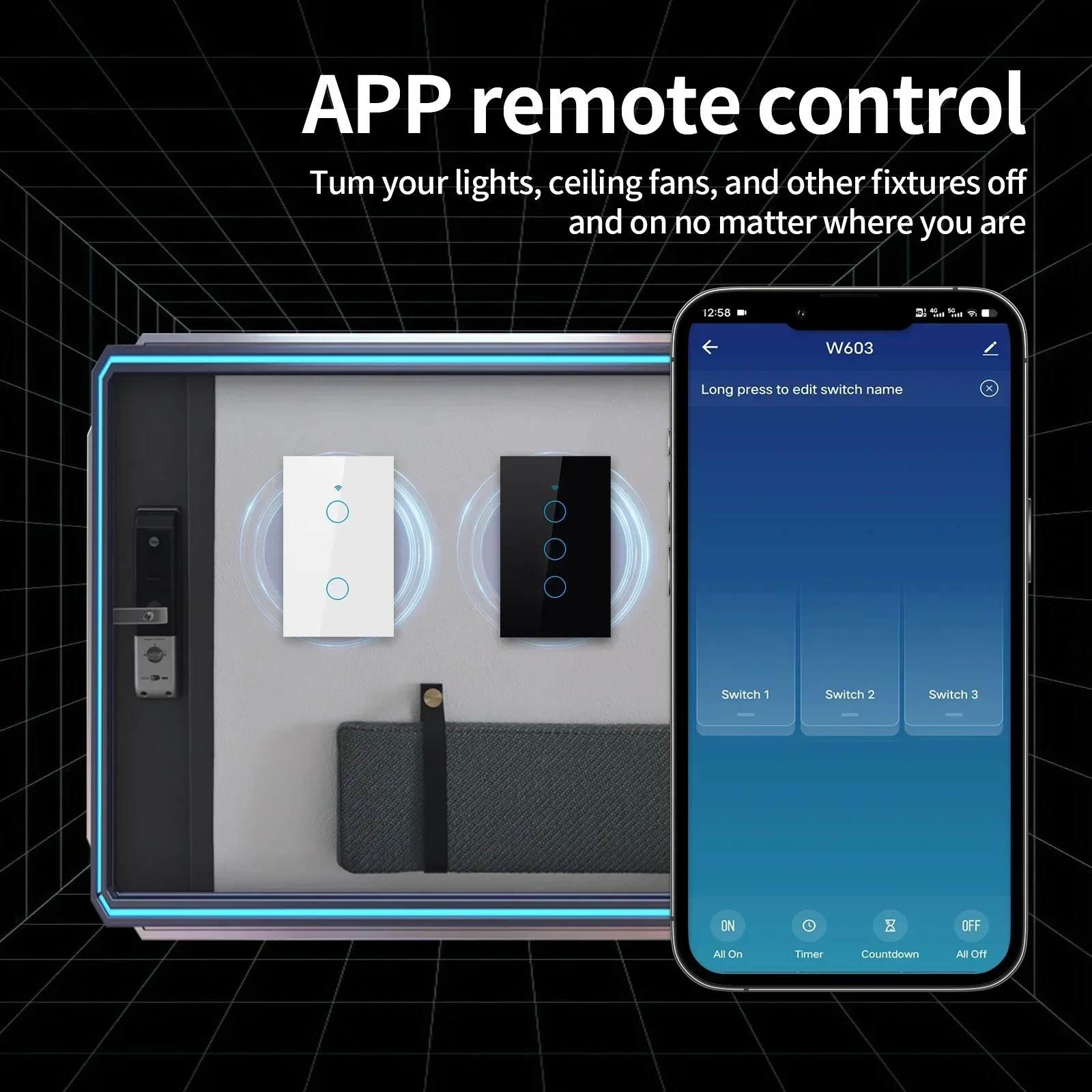
Contrôle Alexa et Google Home
Compatible avec Alexa, Google Assistant. Comptoir de billets d'avion avec Alexa ou Google Home pour allumer ou éteindre vos lumières avec votre voix, pas de hub requis
Minuterie
L'interrupteur intelligent s'allume et s'éteint automatiquement à une heure donnée grâce à la fonction minuterie. Choisissez l'heure à laquelle vous souhaitez vous réveiller,
allumez automatiquement la lumière, afin de pouvoir facilement commencer votre journée ; choisissez l'heure à laquelle vous souhaitez éteindre la lumière.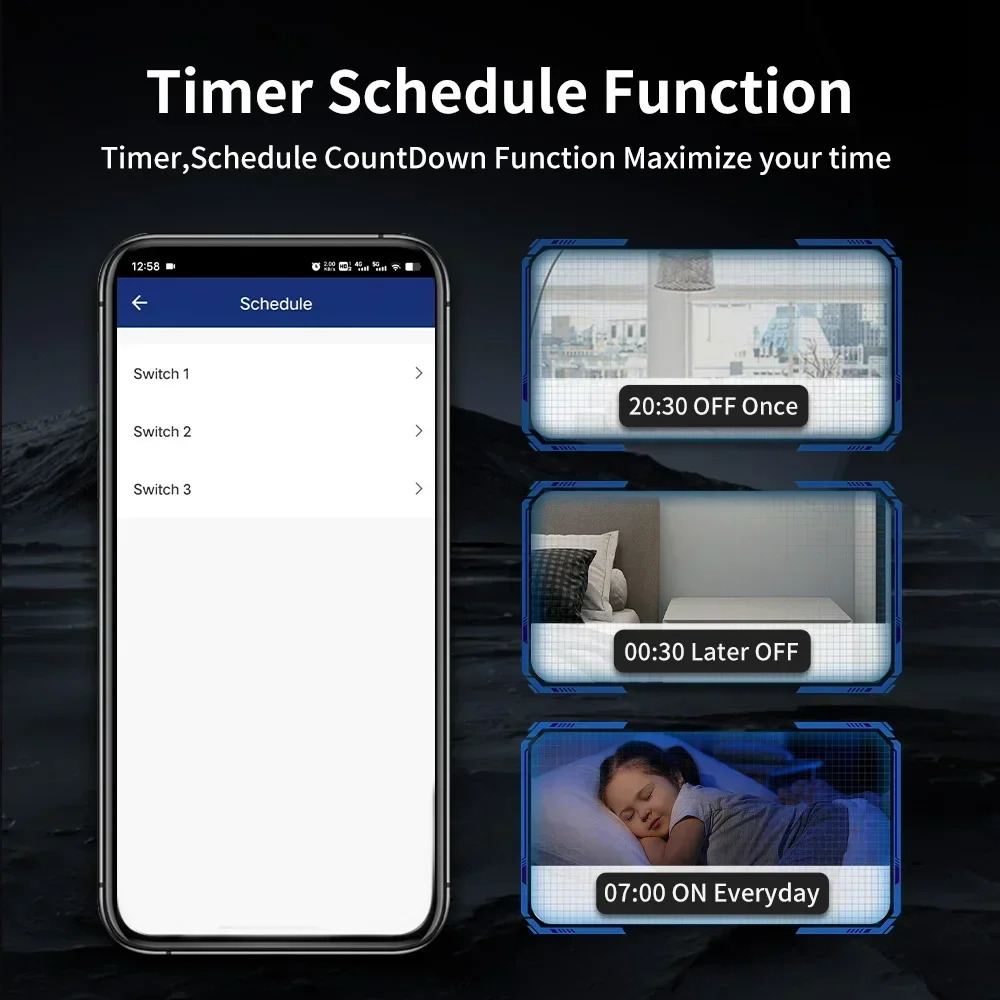
Étanche
convient aux environnements humides, la partie en verre du panneau est étanche
Partager avec la famille
L'interrupteur de commande peut être partagé avec les membres de la famille.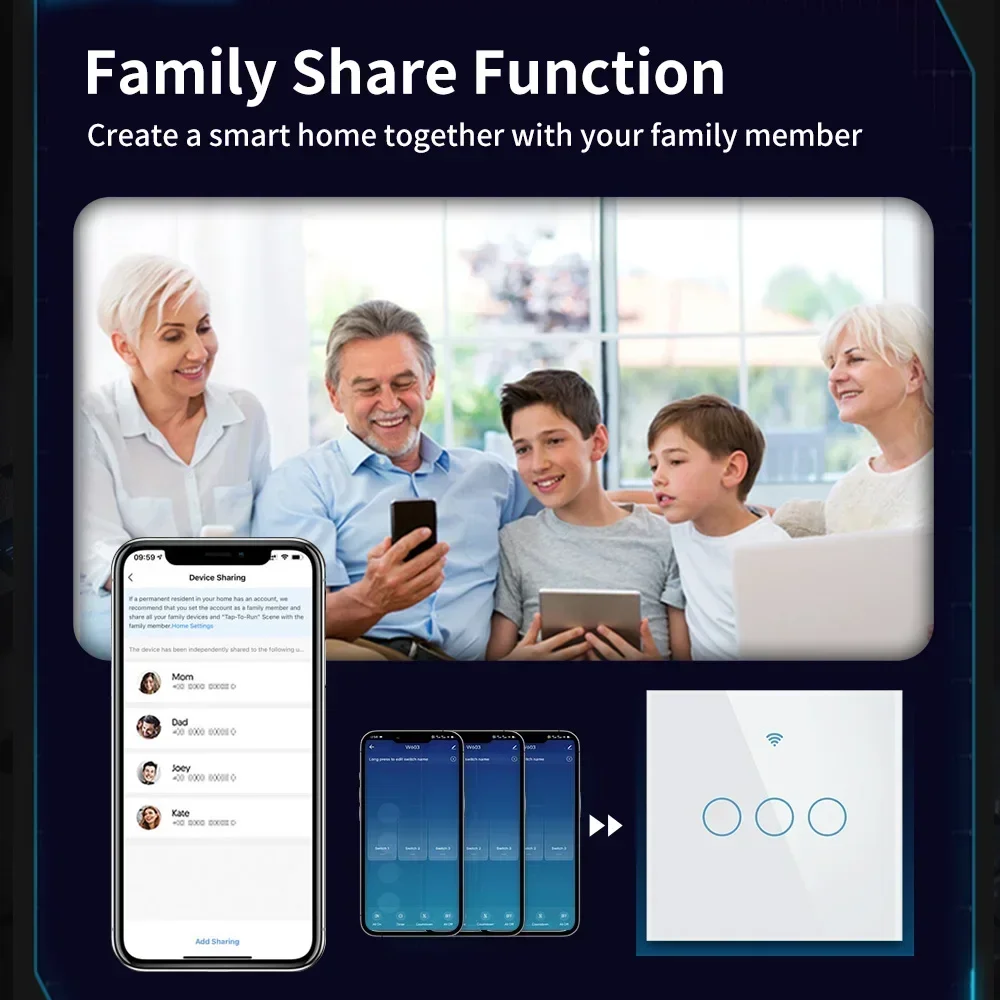

Q&R :